How to Make a Crazy Frog AI Video from Your Photo
Learn how to make a Crazy Frog AI video from a photo: choose a portrait, use the invisible motorcycle template and save your 12-second silent ride.
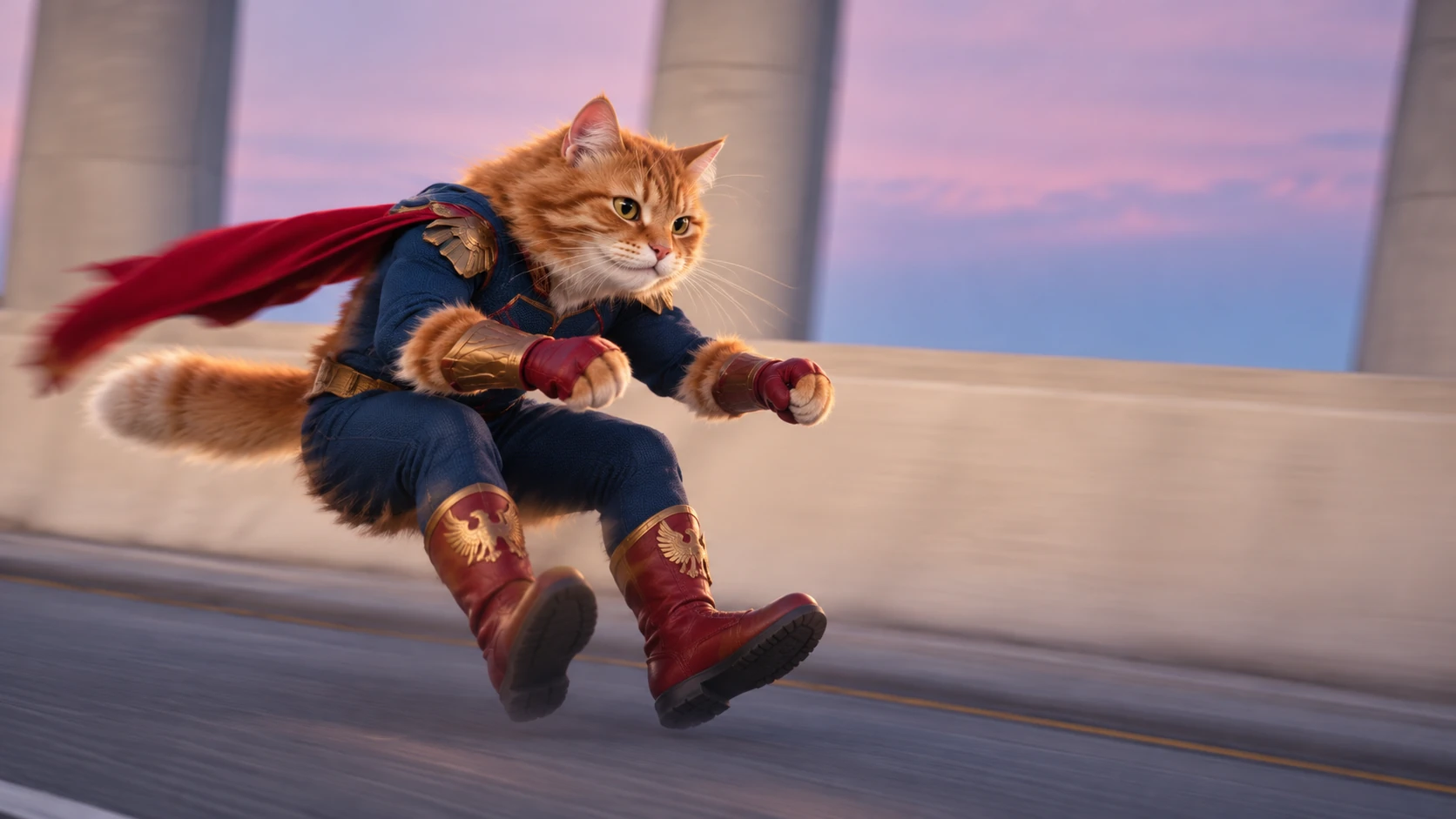
Make a Crazy Frog AI video from one photo
The Invisible Ride template puts the person in your photo in a dark blue hero suit, red gloves, boots and a cape. They crouch as if riding a motorcycle, with no bike under them, and glide down a futuristic elevated highway. The 12-second sequence includes a pursuing motorcycle, one forward flip, rear and side views through a bend, and a close-up ending.
The finished video is 12 seconds, silent, 480p and 16:9. The homepage cat video is a generated example of the same chase prompt, with your upload supplying the leading identity. Static artwork is illustrative. AI results can vary in likeness, pose and movement. This is an independent tool, not an official Crazy Frog product.
1. Choose a clear portrait
Use a well-lit photo of one adult with a clear, unobstructed face. JPG, PNG and WebP files up to 5 MB are supported. You must have permission from the person depicted. Your image is an identity reference; its original clothes and background are rebuilt into the ride scene. The model does not simply animate your original photograph.
2. Upload and confirm
Open the generator, upload the photo, enter your checkout email, and confirm photo permission and the terms. Missing inputs are highlighted before checkout. Your pending image is saved locally in this browser so it can resume after payment. If your browser cannot save the draft, checkout does not start.
3. Pay once
Each $5.90 USD purchase covers one video, with no account, credit pack or subscription. Waffo handles checkout. Keep the original browser open and return after payment. Generation starts only after the server verifies payment and checks that the order belongs to your photo and request. Refreshing cannot intentionally create a second task for the same order.
4. Download your ride
Check My creations in the same browser for your progress and video. Preview and download access lasts 72 hours after completion is recorded. Save a copy to your device. Return in this browser to check progress; completion and expiry reminder emails are not currently sent. Keep your receipt, which is not a cross-device recovery link.
Your video has no sound. Add music you have permission to use in your own editor. The original reference soundtrack is not bundled or copied.
See the finished result
Watch the invisible motorcycle video example and scene gallery before uploading your own photo.
More ways to prepare your video
Read the invisible motorcycle prompt breakdown, choose the best photo for your video, and check Crazy Frog AI video pricing.
If something goes wrong
Do not pay or submit again if a task says its submission is uncertain. Check your creations and contact support@crazyfrogaivideo.art with the task or order number. Keep your payment receipt. Clearing browser storage or changing devices may remove guest access. Read the terms and privacy policy for delivery, data and support details.