Crazy Frog AI Video for TikTok: Vertical Format and Music Guide
Make a Crazy Frog AI video from a photo, then prepare the silent landscape clip for TikTok. Learn fit vs crop, soundtrack choices and download steps.
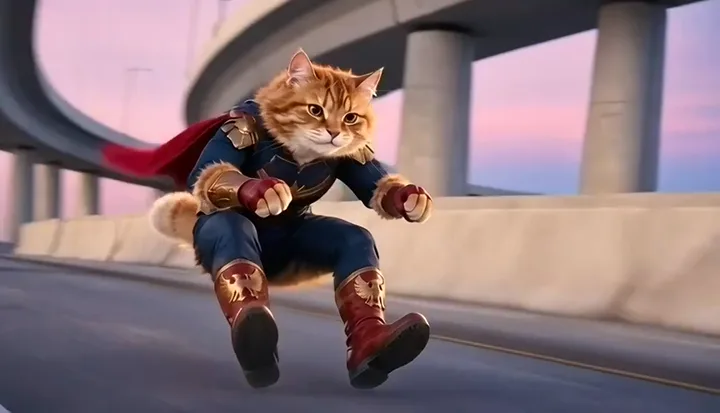
How do I make a Crazy Frog AI video for TikTok?
First generate the chase from your photo, then download the finished clip and prepare its canvas and soundtrack for your post. On this site, one $9.90 USD purchase produces a 12-second, nominal 480p, landscape 16:9, silent video. It does not automatically produce a vertical export or attach a song.
If that matches your project, watch the example and upload your photo. This guide covers the editing decisions after generation; the full creation tutorial covers selecting a photo and paying once.
How can I turn the landscape chase into a vertical video?
Use an editor with a canvas or aspect-ratio setting. A 9:16 canvas is a common choice for a vertical post. Start with the downloaded MP4 rather than a screen recording of the site's preview, then decide whether to fit or crop it.
| Option | What happens | What to check |
|---|---|---|
| Fit the whole clip inside a vertical canvas | Preserves the full highway view, with space above and below | Use a plain or blurred background rather than stretching the video |
| Crop to fill the vertical canvas | Fills more of the phone screen but removes the sides | Check the lead subject, pursuing bike and flip in every shot |
| Keep the landscape video | Retains the original composition | Review how your chosen posting app displays it |
For this chase, fitting the whole picture is the simplest way to preserve both riders. The subject moves and the camera cuts between front, rear and side views. A crop that looks good in the first second can cut off the motorcycle or boots later. Watch the complete 12 seconds, not just the poster frame.
Do not stretch a landscape clip to make it tall. That changes the proportions of the face and body. Exporting a larger canvas also does not create new detail in the original 480p generation.
How do I add the Crazy Frog sound or other music?
The file generated here has no audio. Add a track you are permitted to use in your editor or posting app, and preview its timing against the chase before publishing. The purchase does not include a licence to the original Crazy Frog soundtrack.
Music availability can depend on the account, territory and use. TikTok's commercial music guidance recommends its Commercial Music Library for content promoting a brand, product or service. Do not assume that a sound available for one personal post is licensed for an advertisement or for a different platform.
You can also keep the clip silent. If using captions, keep them out of the face and away from the part of the frame where the flip occurs.
What should I check before posting?
- Watch the whole export, including the forward flip and closing face. AI motion and likeness can vary, and a small preview may hide distortions.
- Make sure the crop does not remove the empty space beneath the rider. That missing motorcycle is the visual joke.
- Keep both the leading subject and pursuing rider visible where the shot calls for them. Avoid assuming a single fixed crop will work for every cut.
- Preview captions and controls in the posting app before publishing. Their positions can differ from an editor's clean canvas.
- Use a photo you are authorized to process and follow the platform's current disclosure rules for AI-generated or edited content.
How do I save my generated video to my phone?
After payment, return to the original page and let it submit generation. Once submitted, you can leave and return in the same browser to check My creations. Use Download video when the result is available and keep the downloaded copy. Application access lasts 72 hours after completion is recorded.
Opening the site in another browser, clearing cookies or switching devices can remove guest access. Your checkout email is not a cross-device access link, and completion reminder emails are currently disabled. Keep the payment receipt for support, but download the file from the original browser for editing.
Questions before you create the clip
Is the output a TikTok template I can edit on this website?
It is a finished generated MP4, not an editable project file or an in-site timeline. You can edit the downloaded video using your preferred editor.
Can I buy a native vertical or HD version here?
The current purchase offers the fixed 12-second, 480p, landscape, silent format. There is no vertical or HD selector. Decide whether a fitted or cropped version meets your needs before purchasing.
Do I pay again to download the completed result?
The one-time $9.90 purchase includes playback and download during the 72-hour application access window. There is no separate download fee or subscription.